
SSH Hosts
The SSH hosts page of SSH Investigation provides information that centers around host aspects of SSH key data that is collected by Sandfly.
Table View
The main page lists all hosts that have discovered or manually added SSH public key data in an easy-to-use table. You can search the text fields of the table.
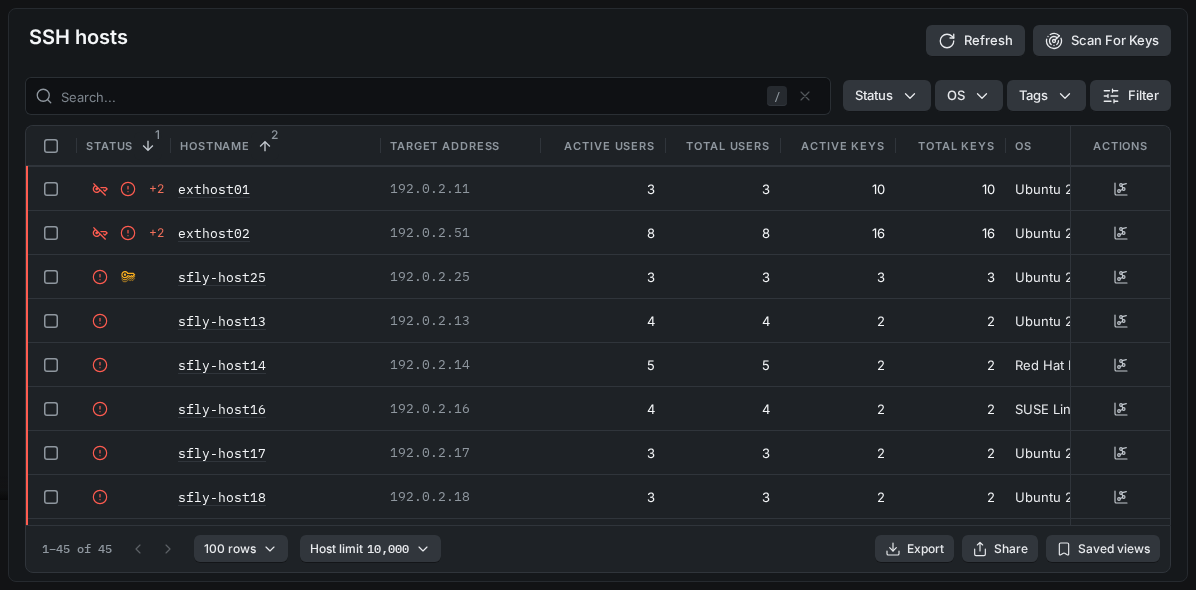
SSH Hosts - Table
To open the Details page of an entry, click a linked value, or double-click the row (but not its checkbox or action buttons).
To filter the table, use the Status, OS, and Tags drop-down filters at the top of the table. The Status filter shows the hosts that have Ban Violations, Alerts, Zone Violations, Duplicate Keys, or Errors.
To scan hosts for SSH key data, click Scan For Keys in the upper-right corner of the page. The scan form opens with the recon_user_list_all sandfly selected.
To create a security zone from hosts, select the hosts in the table, and then click Zone. The Create security zone form opens for the selected hosts.
Detail View
The Summary tab on the Details page provides an initial view of data on an individual SSH host.
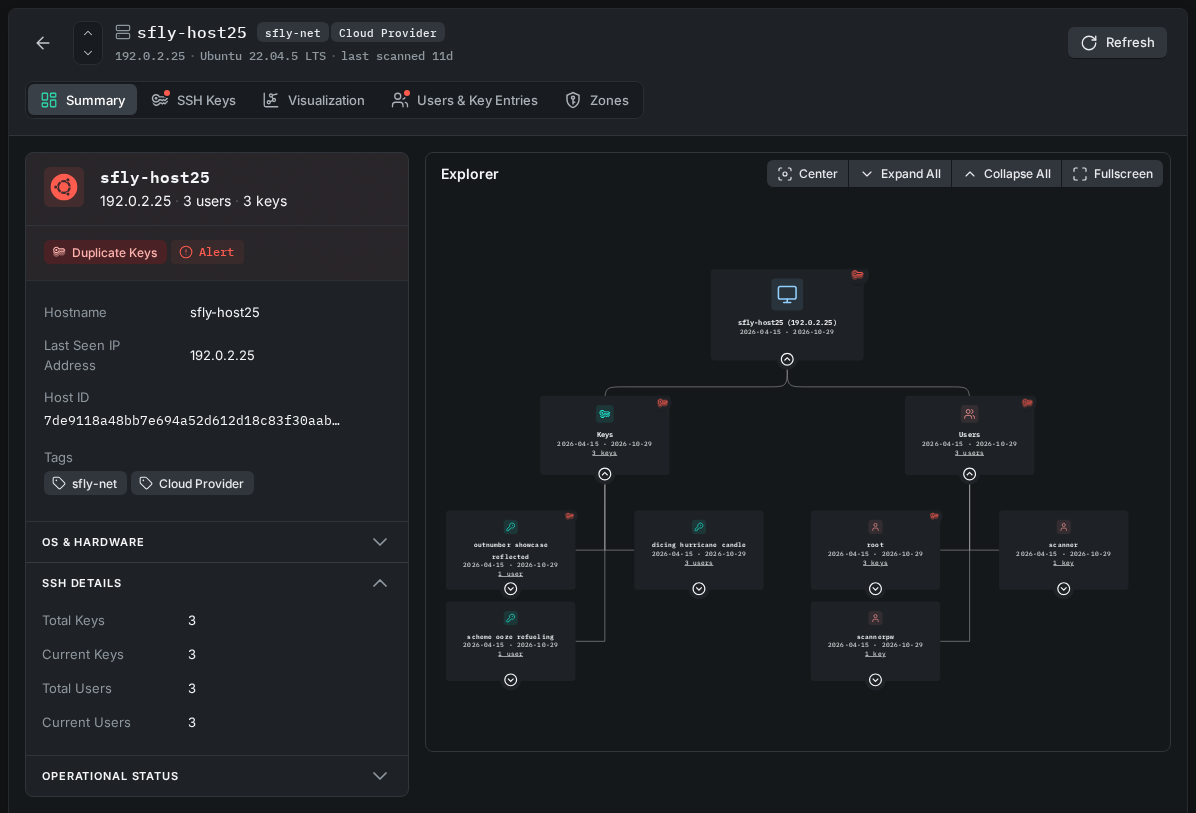
SSH Hosts - Summary Tab
The Explorer is on the Summary tab, and a larger view of it is on the Visualization tab. In the Explorer, you can expand and collapse the data, and zoom and move the view, to follow the relationships between keys, users, and hosts. Below the Explorer, the Key use timeline section shows the number of keys on the connected hosts over time.
The SSH Keys tab lists the SSH keys on the host. From this tab, you can remove a key from the host, remove duplicate entries of a key, or run a response action against a key.
Individual users and their key entries are displayed in a table under the Users & Key Entries tab.
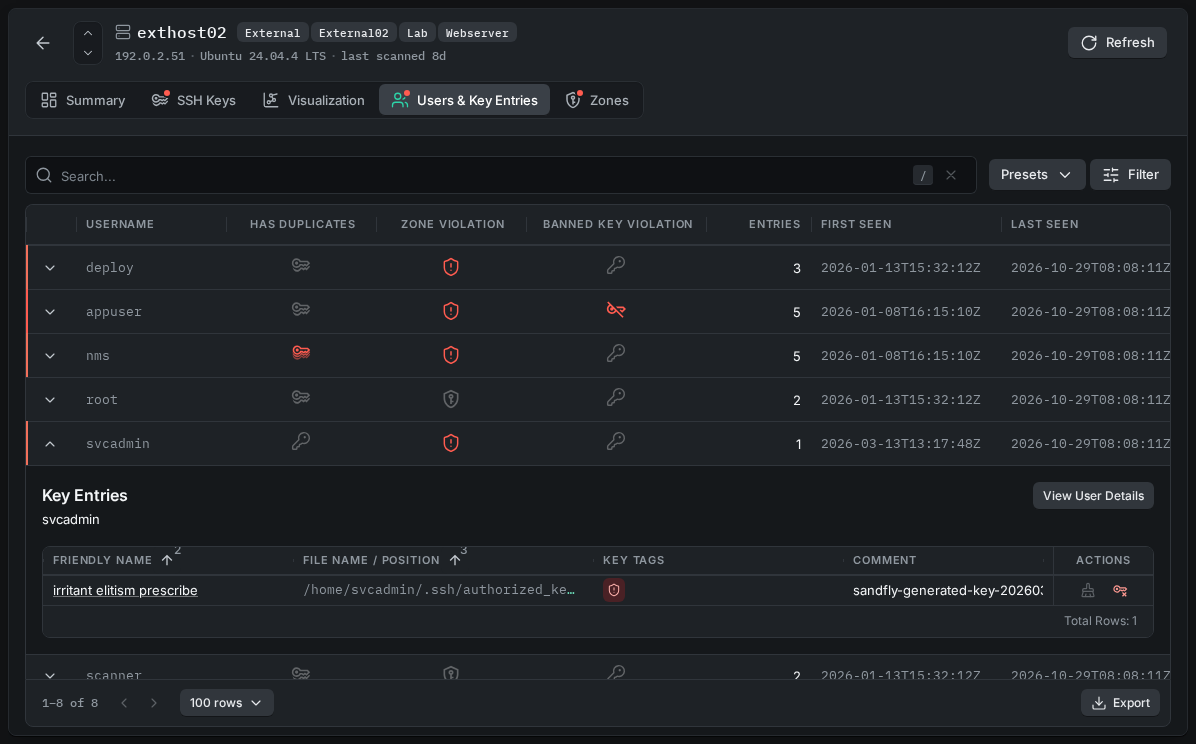
SSH Hosts - Users & Key Entries Tab
Finally, the Zones tab lists all the SSH security zones that the host is a member of.
Updated 1 day ago