
Drift Wizard - Covered Hosts
This wizard step involves choosing which hosts will be covered by the drift profile and if results from containers results will be included or ignored.
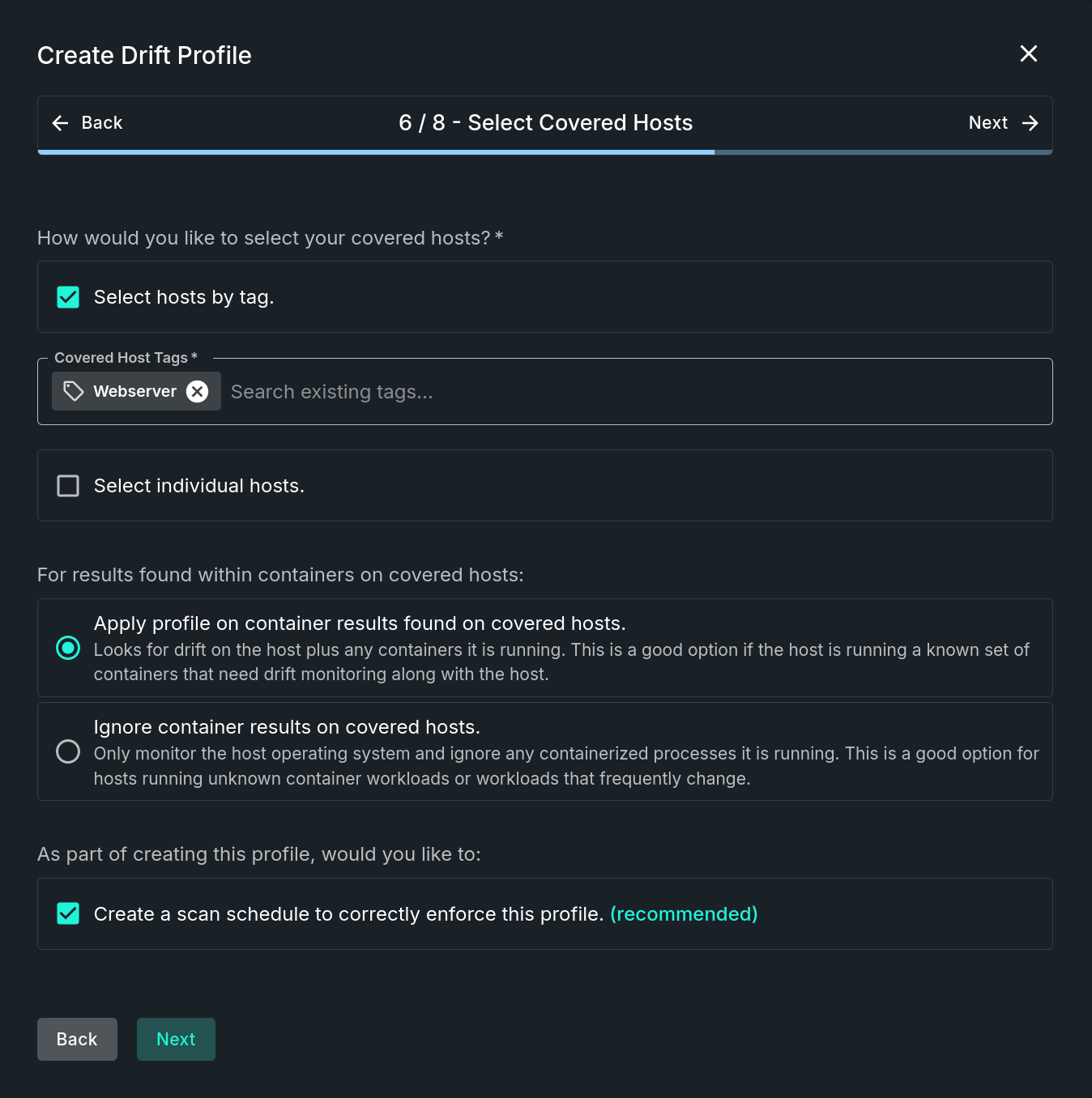
Select Covered Hosts Step
Step Sections
Select Covered Hosts
This section requires that at least one host is included. There are two non-exclusive ways to select hosts, options include:
- Select hosts by tag - Search on existing host tags. Hosts with the chosen tag(s) will be automatically included.
- Select individual hosts - Search on hostnames, IP addresses, or tags. Manually select host(s) from the list.
Covering Containers
For results found within containers on covered hosts one of two options are available:
- Apply profile on container results found on covered hosts - Looks for drift on the host plus any containers it is running.
- This is a good option if the host is running a known set of containers that need drift monitoring along with the host.
- Ignore container results on covered hosts - Only monitor the host operating system and ignore any containerized processes it is running.
- This is a good option for hosts running unknown container workloads or workloads that frequently change.
Scan Schedule
The last checkbox is used to determine whether or not to automatically create a system managed scan schedule after completing the wizard. If enabled, which is recommended, this scan schedule will be used to correctly enforce this profile.
Updated 9 months ago
Did this page help you?