
Drift Wizard - Scan Schedule
This wizard step involves configuring the system scan schedule and appears only if the "Create a scan schedule" option was enabled in the previous step.
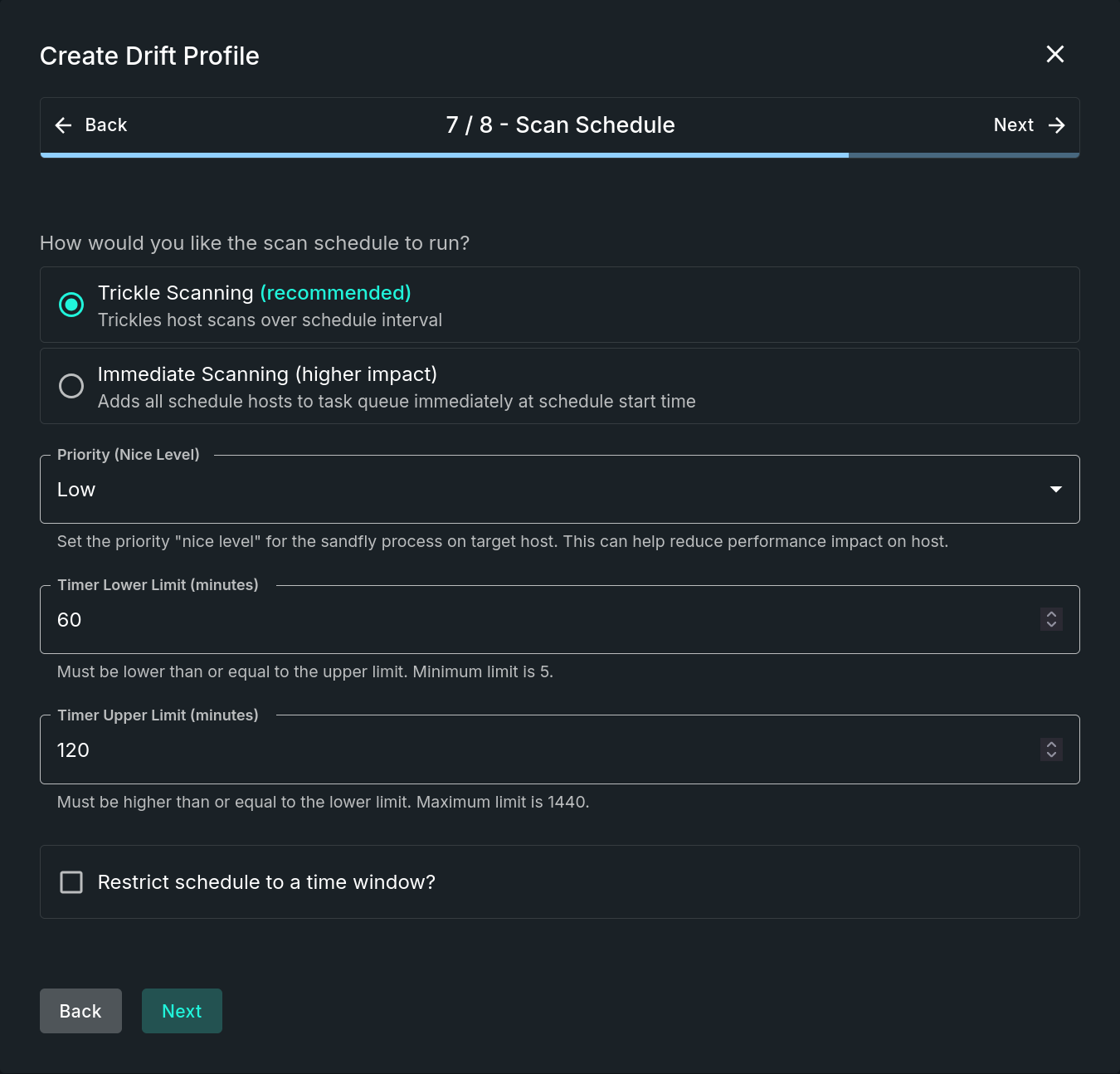
Scan Schedule Step
NOTE: Inclusion of this Step is Dependent on a Prior ChoiceThis entire step will only be included in the wizard if the "Create a scan schedule" option was enabled on the previous step. Use the form's "Back" button if you need to change the setting.
Step Sections
Run Method
This section requires the selection of a scan schedule run method. Options include:
- Trickle Scanning (recommended) - Trickles host scans over schedule interval.
- Immediate Scanning - Adds all schedule hosts to task queue immediately at schedule start time.
Schedule Options
The system scan schedule allows for the configuration of additional settings within this section. Fields include:
- Priority (Nice Level) - Set the priority "nice level" for the sandfly process on target host. This can help reduce performance impact on host.
- Timer Lower Limit (minutes) - Must be lower than or equal to the upper limit. Minimum limit is 5.
- Timer Upper Limit (minutes) - Must be higher than or equal to the lower limit. Maximum limit is 1440.
Operation Window
This optional section restricts the scheduler to initiate random scans only within the provided time frame. Toggle on the Restrict schedule to a time window field to enable this feature and then set the beginning and ending times. The time fields are in UTC and only the hour portion of the time fields can be changed.
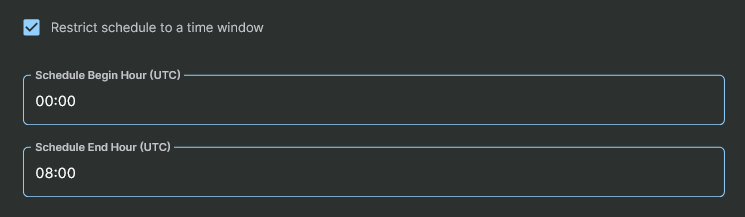
Restrict Schedule to a Time Window
Updated 9 months ago