
Response Action Log
The Response Action Log provides a centralized, time-ordered record of all manually requested response actions. Access the log by selecting Response Action Log, found under the Operations section in the sidebar.
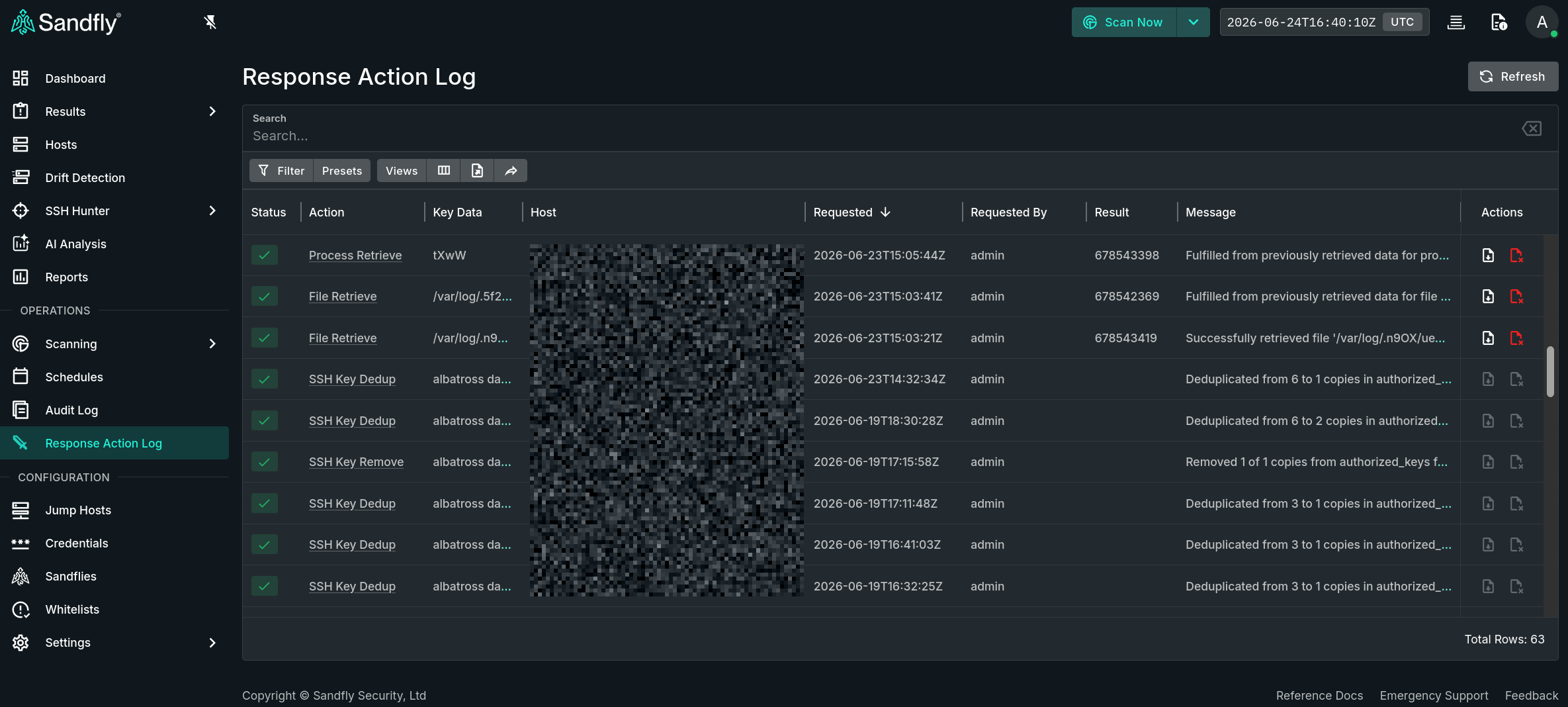
Response Action Log and Sidebar Location
This log serves as the authoritative audit trail for manual response action workflows, enabling security teams to verify action effectiveness, satisfy compliance requirements, and reconstruct the response timeline during post-incident review.
NOTE: Automatic Responses Are Not Recorded HereThis log captures only manual response actions initiated by Responders. Actions taken by auto-responses from sandflies are not recorded in this log. Automatic responses are recorded on the result that triggered it. For information on automatic responses, refer to the Sandfly Auto Response documentation.
Table View
Each log entry in the data table includes the status of the request, the type of action, key data, the target host, a timestamp of the request, the Sandfly username that initiated the action, the associated result (for result-based actions), and a text message with the details.
Action Status
Each log entry reflects the current state of the action. Possible status states include:
- success — The action is completed as requested.
- failed — The action could not be completed. Refer to the Message field for details.
- pending — The action has been submitted but a response has not yet been received.
Detail View
Clicking on the hyperlinked Action value or double-clicking on a data table row will open a "Response Action Detail" panel that displays the full details for that log entry, including fields that are hidden by default in the data table. In addition, there is a section showing a snapshot of the associated result or SSH key and a separate section that lists related actions. Finally, the original source result JSON is available in a tab at the top for result-related actions. The snapshot data will remain available after the original result is deleted.
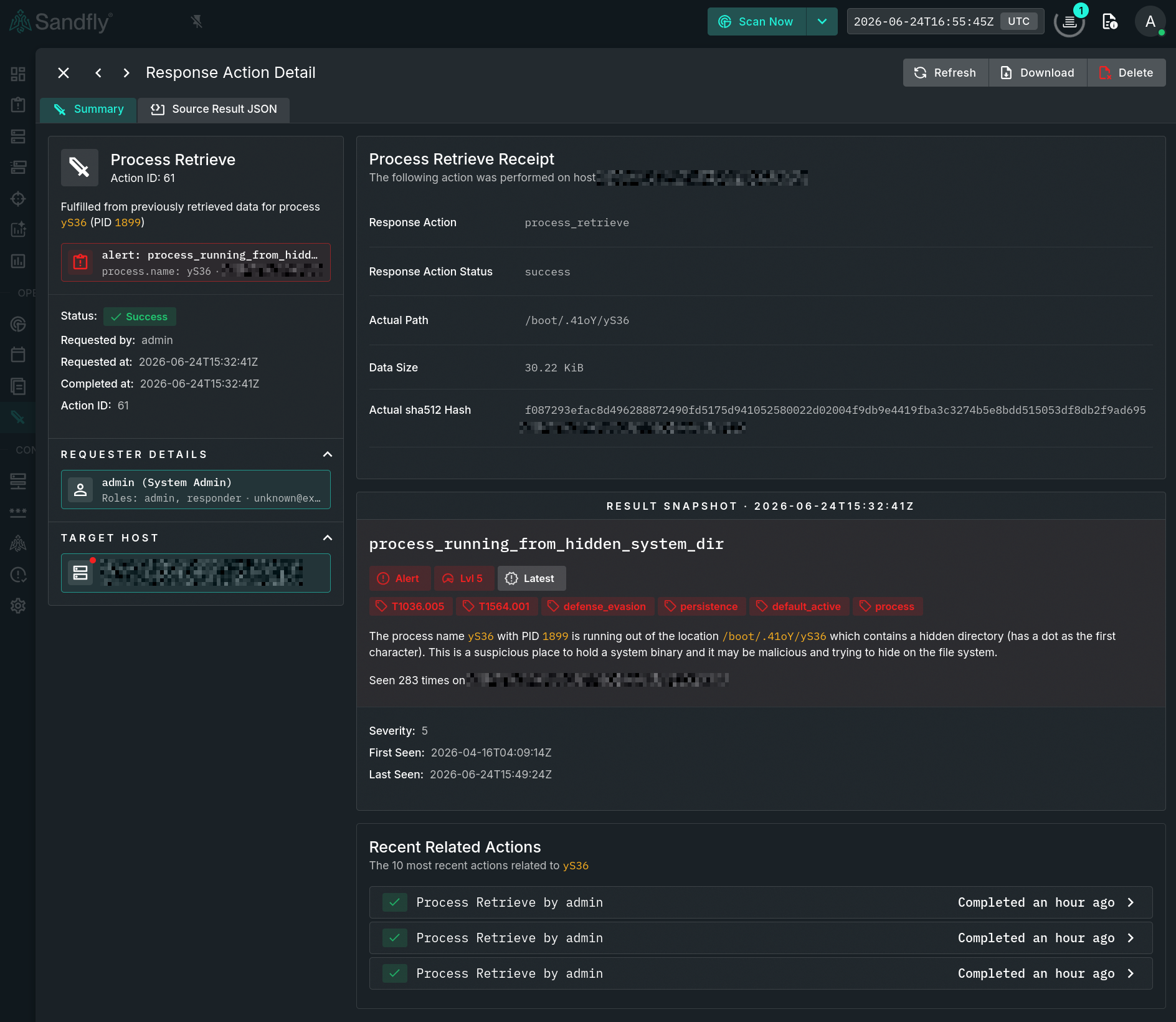
Example of a Response Action Detail Panel
Retrieve Actions
Users with the Responder role can perform the following retrieval actions when the response action request completed successfully. These buttons are available in any retrieval data table row, or from the detail view of any retrieval-type action.
- Download — Downloads the retrieved file via the browser. The files remain available for download until manually deleted or automatically purged as per the file retention setting.
- Delete — Deletes the retrieved file from the Sandfly database. Once a file is removed, the log entry is retained, but the file can no longer be downloaded.
Updated 4 months ago